
Engage your readers
Create engagement
in just a few
clicks.
Prenly React is a simple engagement platform for local and regional newspapers. Create questions and polls with AI or manually, then publish them wherever your readers are.
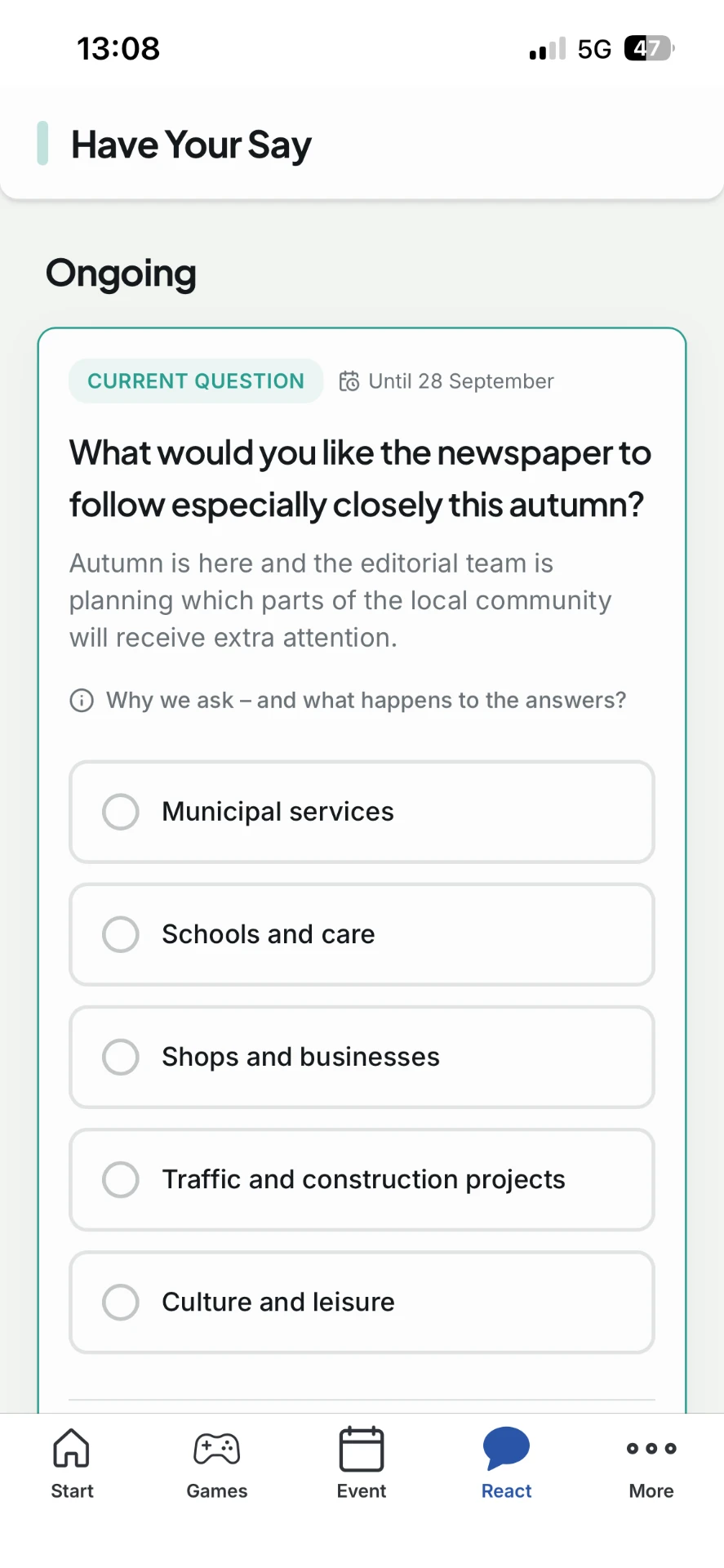
The business value
Include your readers in the journalism.
Here's how the platform creates value – from the first question to the next story.
A genuine reader relationship
Let readers shape coverage, share experiences and feel part of the journalism.
Material for the next story
Answers, free text and reactions become leads, follow-ups, quotes and new editorial material.
Results bring readers back
Readers see polished, animated results immediately after voting – with no extra clicks.
Where your readers already are
Publish in the reader portal, directly in articles or in the Prenly app – always in your own style.
Question types
A format for every question.
Choose how readers respond. You control formats, categories and topics – Prenly React handles the presentation.
Single choice
One clear answer option per reader.
Multiple choice
Let readers select several options.
Open question
Collect opinions, tips and stories.
Reaction
Quick emotions and points of view.
Scale & slider
Measure satisfaction, sentiment and intensity.
Ranking
Readers prioritise the options.
Image choice & reply
Choose an image – or submit your own.
The Compass
Several statements create a personal profile.
For every industry
Works just as well for the local paper as for the niche magazine.
You choose the categories and topics – and tailor the questions to your readers.
Local news
“What is missing most in the town centre?”
Questions about the neighbourhood, the school or the local election spark debate and give reporters new leads.
Sports & clubs
“Who should be player of the year?”
Votes before the match and reactions after the final whistle keep supporters engaged.
Trade & professional press
“What does your work week look like?”
Quick industry temperature checks become valuable statistics and new article angles.
Magazines & lifestyle
“Which interior style is your favourite?”
Playful image choices and quizzes strengthen the community and make readers part of the content.
For the newsroom
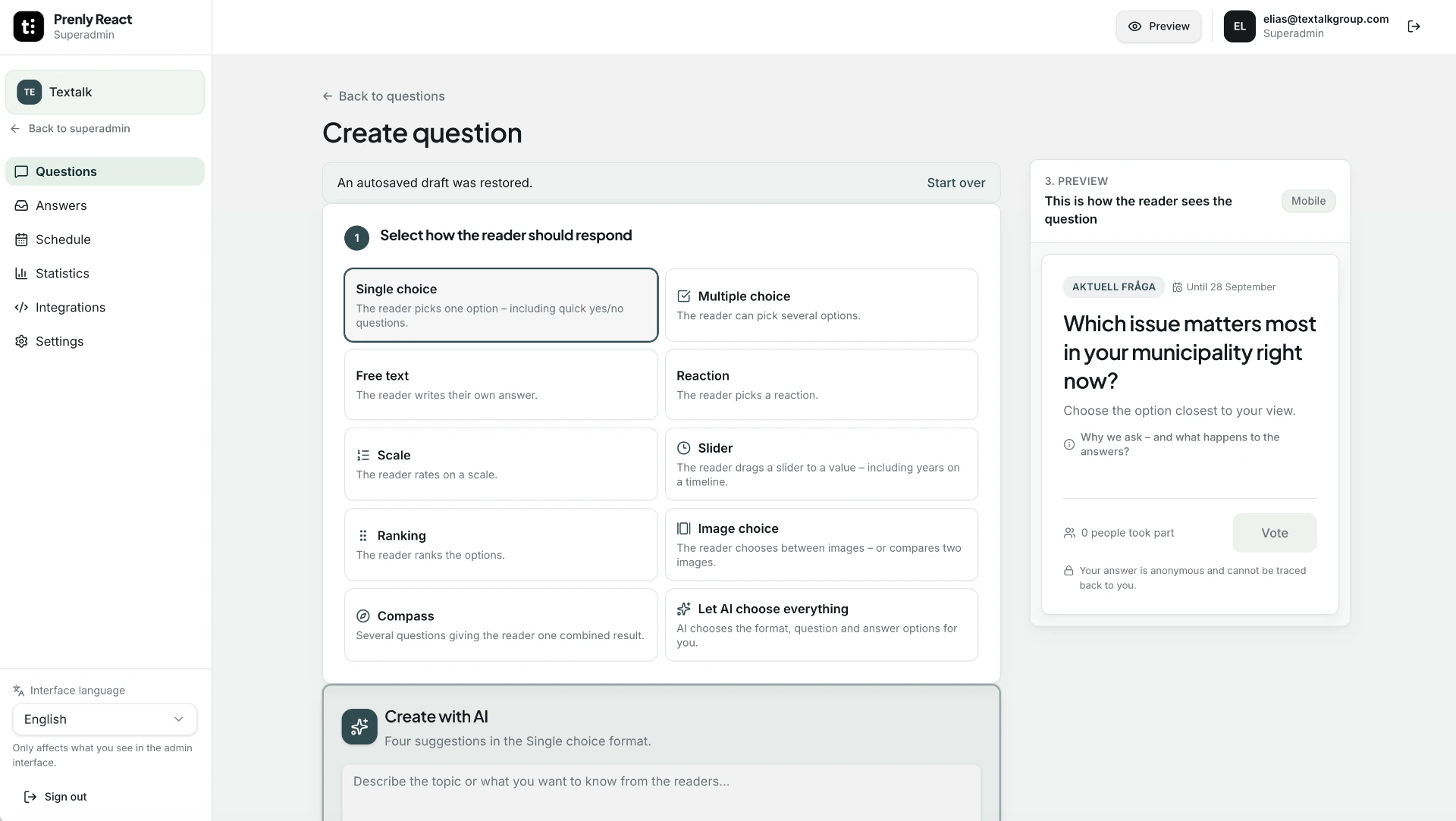
Incredibly easy to create questions.
Type a topic and let AI suggest the question – or build it yourself, step by step.
AI writes the question
Enter a topic and get ready-made questions, answer options, the right format and a risk assessment in your editorial language.
Or create it yourself
Choose a format, write the question, and add images and options. Quality checks flag common mistakes before publishing.
Your design, your product
Your logo, colours, language, shapes and copy follow your visual identity – white label from day one.
Plan and build anticipation
Schedule it in the calendar, mark it as “coming soon”, and send a notification in the Prenly app when the question is published.
The AI compass
Build your own compass – with AI.
Several statements lead to a personal result profile. AI helps you create questions and answers for everything from elections to sport, culture and food.
Election compass
"Which party do you align with?"
Readers answer policy questions and see which party matches them best before the election.
Sports compass
"What kind of supporter are you?"
Questions about the team, the matches and the emotions – perfect before the derby or the season opener.
Food compass
"How local is your dinner plate?"
Playful questions about eating habits that engage readers and give editors new angles.
Culture compass
"What culture type are you?"
Readers find their culture profile – and tips on what's happening in town.
You control the topic, number of statements, categories and design. Ideal for elections, championships and other major coverage.
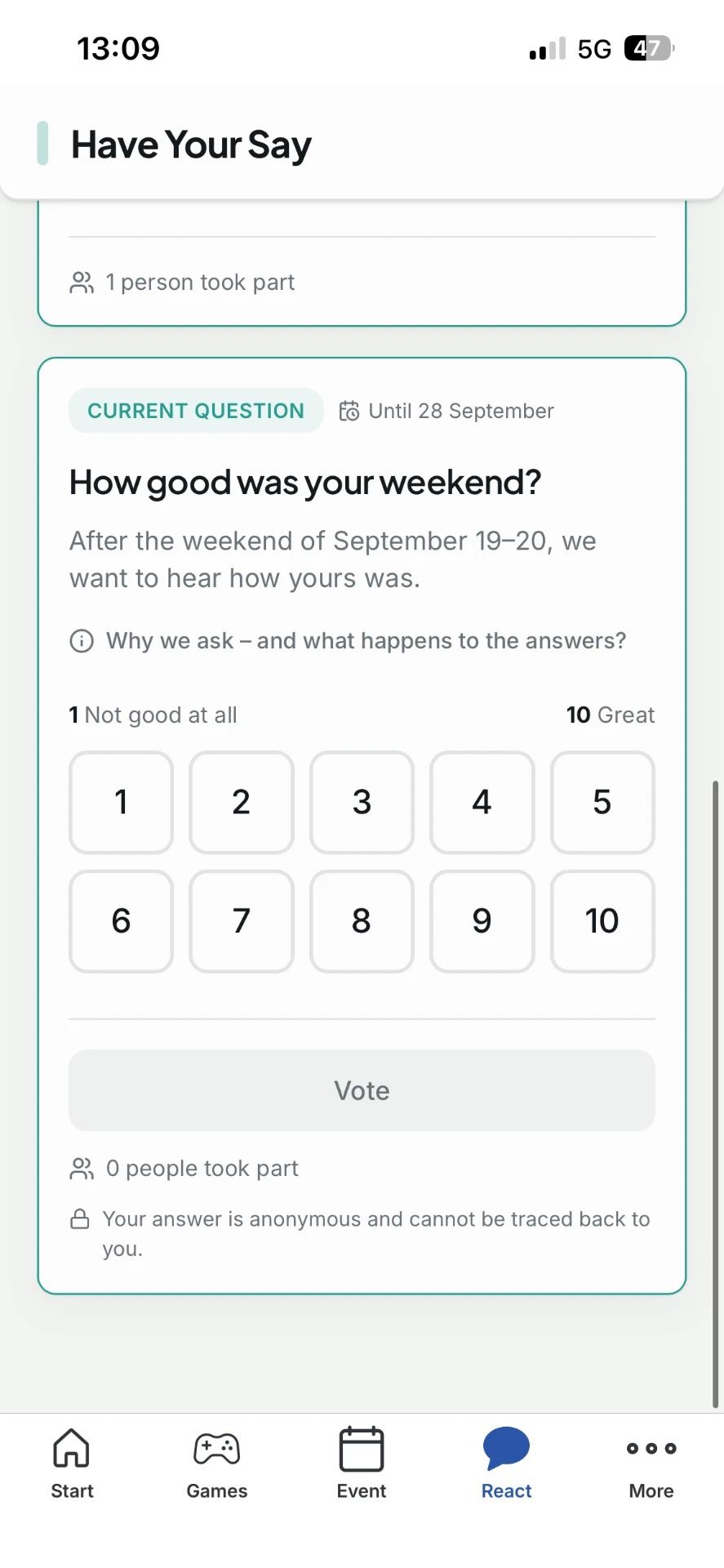
Different question types
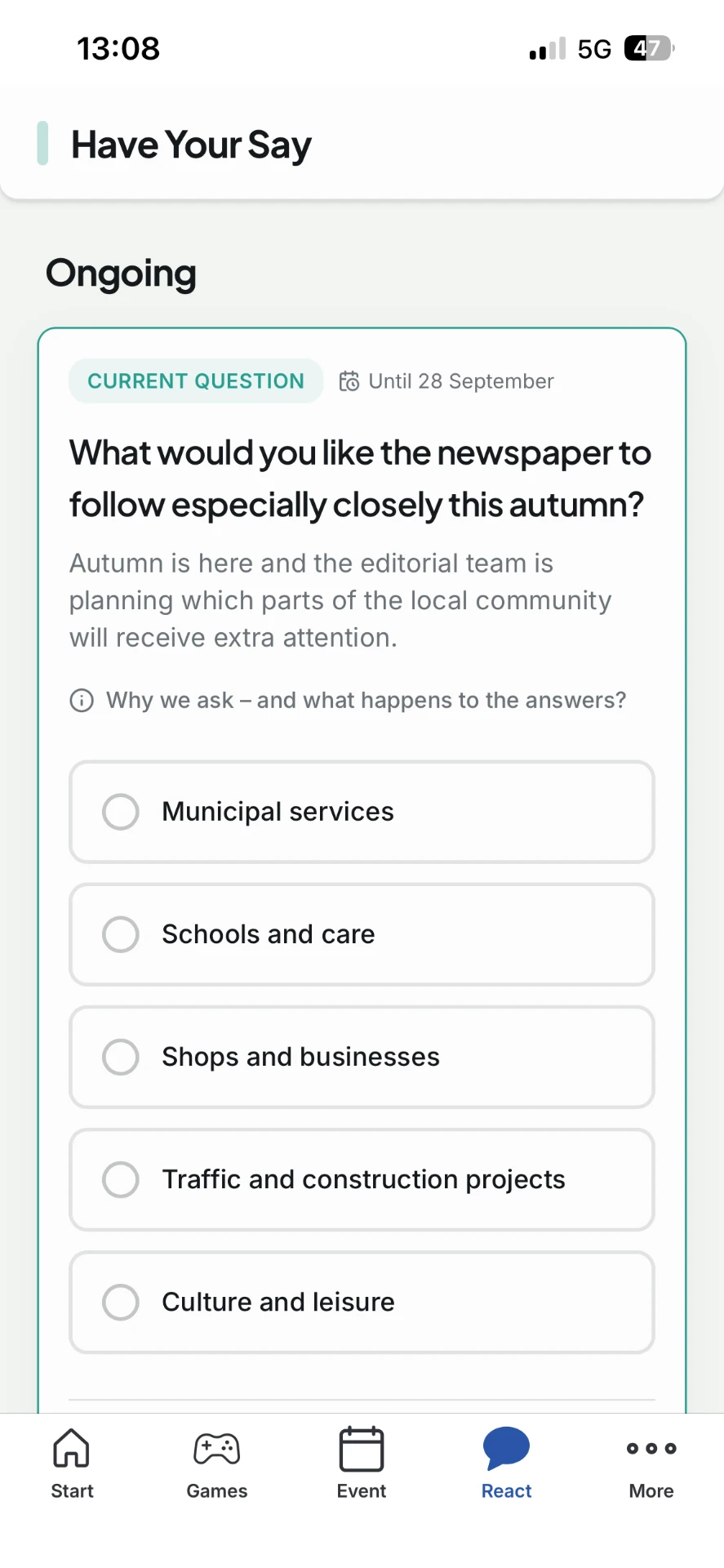
Three ways to ask – and get answers instantly.
Let readers answer on a scale, vote for an option or share a quick reaction.
Scale question
Let readers rate satisfaction, an experience or another topic on a clear scale.
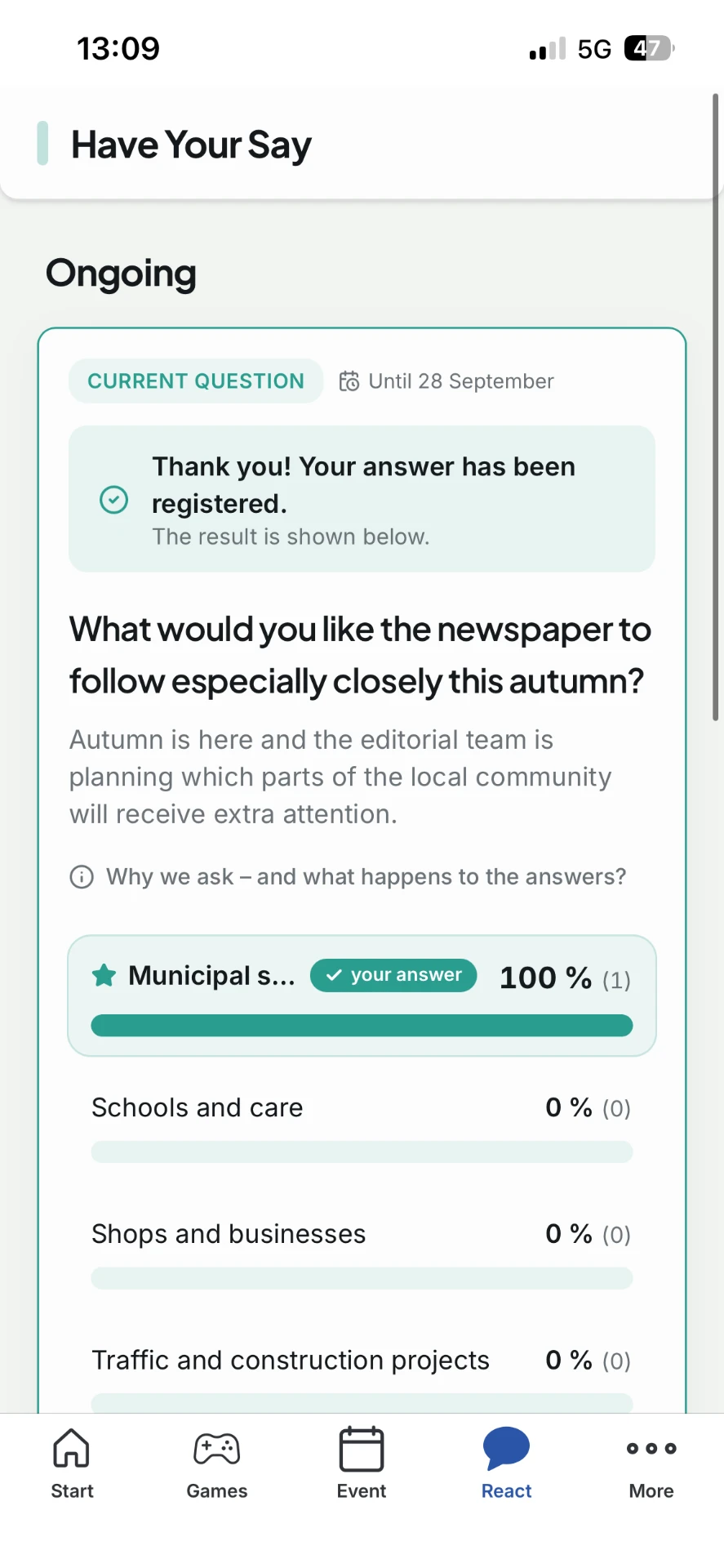
Poll with instant results
Readers choose one option and see the updated result immediately after voting.
Reaction question
Capture the mood quickly with clear response options that are easy to relate to.
In the e-paper
Your question sits between two pages.
When you create a question, you choose where it appears in the e-paper – between two pages. Readers see it as soon as they turn the page.
You set the position when you create the question. The rest of the e-paper stays as usual.
What is missing most in the city centre?
AnswerChoose which two pages the question should appear between.
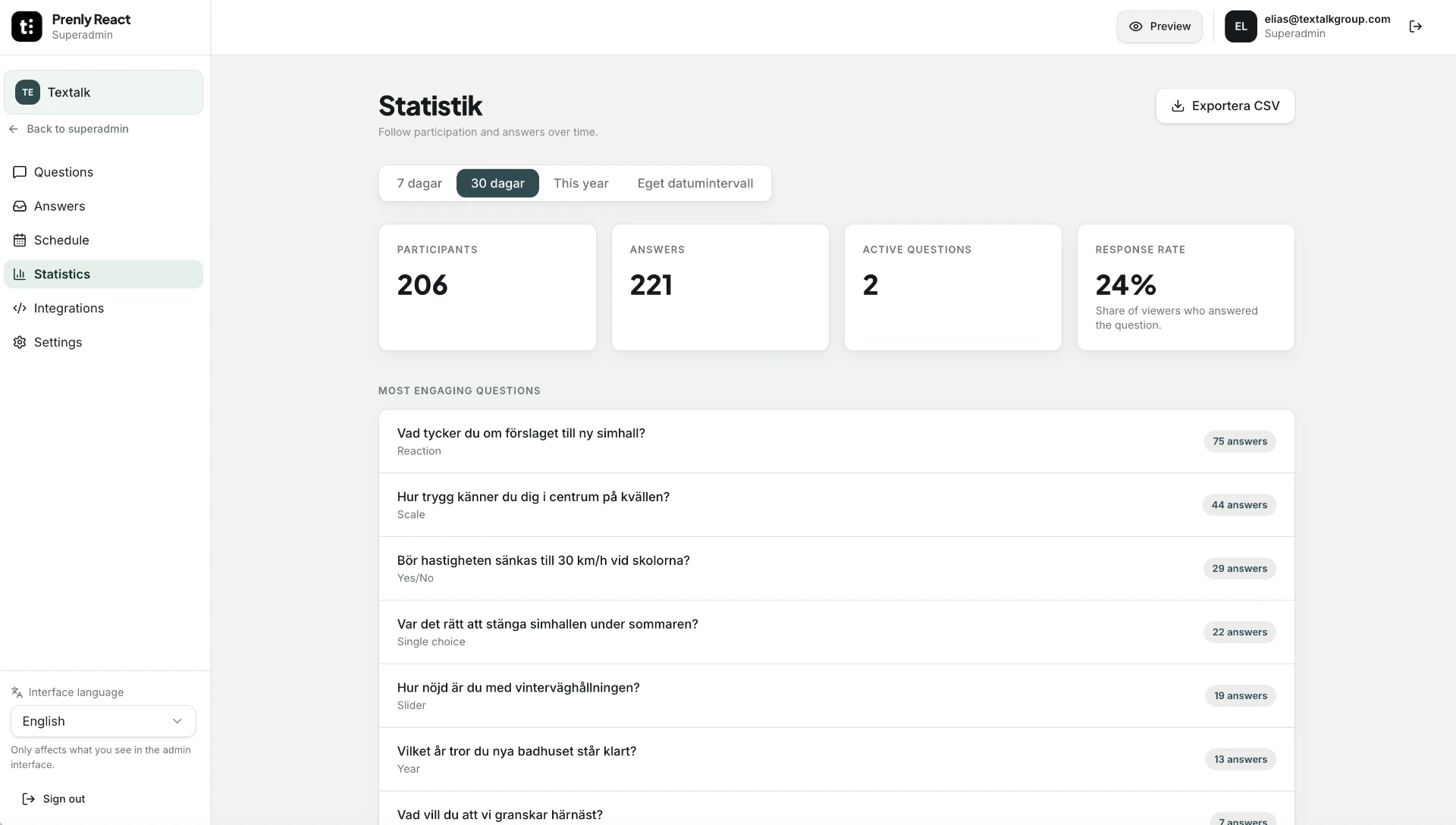
Answers & insights
Your readers' answers become your next story.
Follow participation and answers in real time – and turn the responses into your next story.
- Participants and answers filtered by period and format
- Free-text answers collected for moderation and editorial follow-up
- Export to CSV with one click
Try it yourself
See how it feels – ask a question and answer another.
One anonymous answer, followed immediately by an animated result – with no extra clicks.
Write your question
Your question appears here
Your answer is anonymous and cannot be traced back to you.
What do you think of today's question?
What matters most for a lively town centre?
Click an option to see the results.

Behind the product
“Prenly React is about the relationship with the reader. Ask a question in the morning – and have hundreds of answers to build on by the afternoon.”
Elias Swartswe
Business developer
Pricing & launch
One simple price.
Base price – includes the platform and one app.
- Every question format and the Compass
- AI assistant with risk assessment
- White label with your logo, colours and language
- Web, embeds and the Prenly app
- Statistics, moderation and CSV export
- Eight languages, onboarding and support
FAQ
Frequently asked questions.
Here we answer what newspapers ask most often.
Book a demo
Questions your readers
want to come back to.
20 minutes. See how to go from question to publication in your portal, articles and the Prenly app – in your own visual identity.
Book my demo nowSuper simple: one email to elias@textalkgroup.com · and we'll find a time.